
Finally, a form solution that automatically filters out spam, solicitations, and marketing messages. Only genuine customer inquiries reach your inbox.
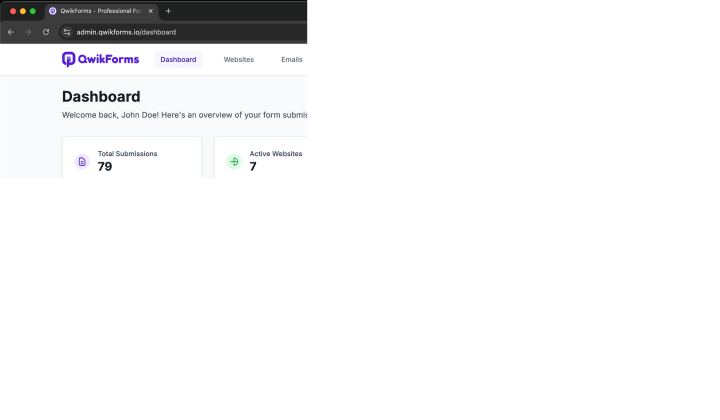
Advanced form management that learns your business to deliver only the inquiries that matter
Our smart filtering learns your business type and automatically blocks spam, solicitations, and irrelevant messages before they reach you.
Get instant email alerts for genuine customer inquiries only. No more sifting through spam to find real leads.
Track your form performance, see what's being filtered, and understand your customer inquiry patterns with detailed reporting.
Manage forms across multiple websites with individual filtering settings tailored to each business and industry.
Add intelligent form processing to any website with just two lines of code. All filtering works automatically in the background.
Configure your business type and content preferences. Our system learns what matters to your specific industry.
Get spam-free forms in three simple steps
Sign up with your email and verify your account. Configure your business type for optimal filtering.

Generate a secure API token for your website and link it to your verified email address.

Paste the code into your form and start receiving filtered, high-quality submissions immediately.
Join thousands of satisfied users who have eliminated spam from their forms
Web Developer (Munich, Germany)
"QwikForms has transformed how I handle contact forms for my clients. The filtering is incredible - no more sifting through spam! Setup took less than 5 minutes, and the insights are amazing."
Agency Owner (Miami, FL)
"We manage dozens of client websites, and QwikForms has simplified our form management process tremendously. The filtering works differently for each business type - it's incredibly smart!"
E-commerce Owner (Shanghai, China)
"The analytics provided by QwikForms helped us optimize our contact form and increase customer inquiries by 30%. The intelligent filtering ensures we never miss a real customer!"
Start for free, upgrade when you need more power
Perfect for personal websites
For growing businesses
For larger organizations
Need more? Contact us for custom enterprise solutions.
Contact Sales TeamEverything you need to know about QwikForms
Join thousands of businesses who only receive genuine customer inquiries, not spam
Have questions? See our smart form solution in action below
This form is powered by QwikForms - the same solution you can use on your site!
<!-- 1. Add the QwikForms script -->
<script src="https://cdn.qwikforms.io/qwikforms.min.js"></script>
<script>
    // Initialize QwikForms with autoCapture enabled
    QwikForms("init", {
        token: "YOUR_API_TOKEN",
        showMessages: false,
        autoCapture: true,  // Automatically binds all forms with data-qwf attribute
    });

    // Wait for DOM to be ready before setting up event listeners
    document.addEventListener('DOMContentLoaded', function() {
        // Get the form and success message elements
        const form = document.querySelector('[data-qwf="contact-form"]');
        const successMessage = document.getElementById('form-success');

        if (form && successMessage) {
            // Show custom success message on submission
            form.addEventListener('qwf:success', function() {
                successMessage.classList.remove('hidden');

                // Optional: Hide the success message after 5 seconds
                setTimeout(function() {
                    successMessage.classList.add('hidden');
                }, 5000);
            });

            // Optional: Handle submission errors
            form.addEventListener('qwf:error', function(e) {
                console.error('Form submission error:', e.detail);
                // You can show a custom error message here
            });
        }
    });
</script>

<!-- 2. Add the data-qwf attribute to your form -->
<form data-qwf="contact-form" method="post">
    <input type="text" name="name" required />
    <input type="email" name="email" required />
    <textarea name="message" required></textarea>
    <button type="submit">Send Message</button>
</form>

<!-- 3. Add a hidden success message element -->
<div id="form-success" class="hidden bg-green-100 border border-green-200 text-green-800 rounded-lg p-4">
    Thank you for your message! We'll get back to you shortly.
</div>